|
Monitoring Studio requires that you configure the settings of your proxy server, if you use one, to enable Web requests to servers located on the Internet. These settings can then be shared or bypassed when configuring the Web Request Monitor.
To configure the proxy server
| 1. | In the PATROL Console, right-click the Monitoring Studio icon and select KM Commands > KM Settings > Proxy Settings. |
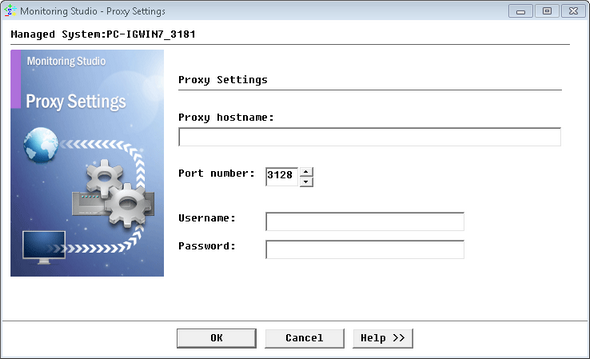
Configuring the Proxy Settings
| 2. | Provide the following proxy server information: |
| ▪ | Proxy hostname: Enter the hostname of the proxy server used to connect to web sites. |
| ▪ | Port number: Enter the port to be used to access the proxy server. Default: 3128. |
| 3. | Enter the Username and Password to use for proxy authentication and click OK. |
|


