-
Home
- PATROL
Administer Veritas Cluster Server
PATROL users with appropriate rights can administer Veritas Cluster Server with Veritas Cluster Server KM for PATROL. They can more especially:
Starting the VCS Server
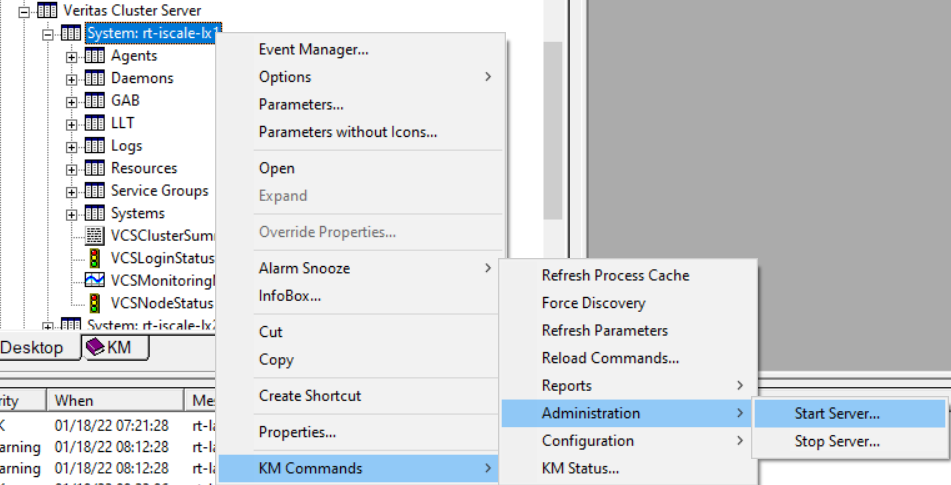
To start the VCS server:
- In the PATROL console, right-click the server instance > KM Commands > Administration
- Select Start Server…

Stopping the VCS Server
To stop the VCS server:
- In the PATROL console, right-click the server instance > KM Commands > Administration
- Select Stop Server…
Freezing the Service Group
To freeze the service group:
- In the PATROL console, right-click the group instance > KM Commands > Administration
- Select Freeze Group…
Unfreezing the Service Group
To unfreeze the service group:
- In the PATROL console, right-click the group instance > KM Commands > Administration
- Select Unfreeze Group…
Search Results for {{siteSearch | truncate:'50'}}
{{resultArray.length}}
No results.